
Activity is the running record of what happened in your workspace: what got created, finished, shared, commented on or moved to the recycle bin, and who was added to what. It's for the morning after a day off, when you'd like to know what happened without opening forty tasks to find out.
Open it from Activity, second in the left menu.
Three questions Activity answers
The lay of the land
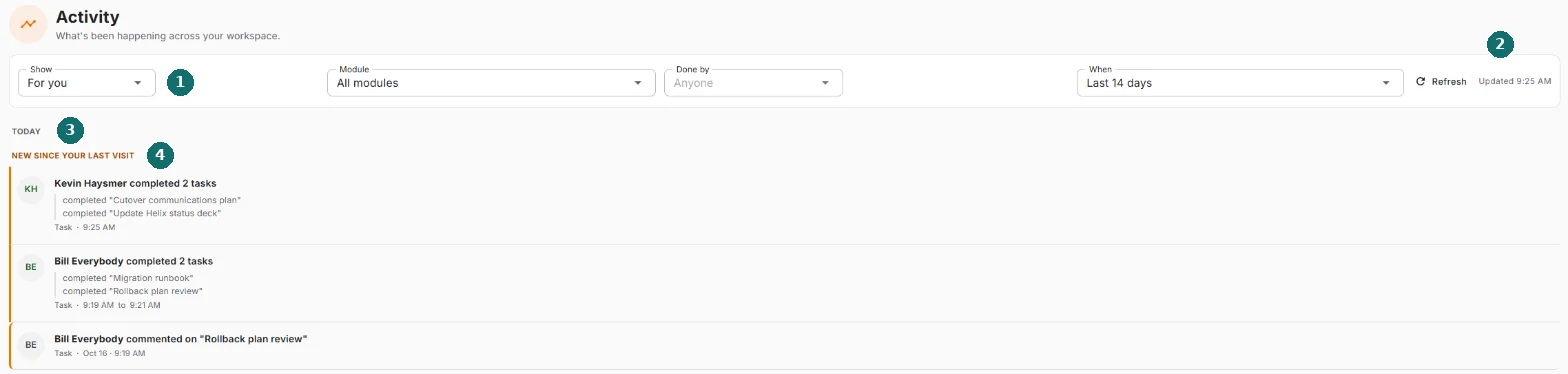
- The filter bar. Four controls that decide what you're looking at.
- Refresh and the time the page last loaded.
- The feed. What happened, newest first, grouped by day.
- New since your last visit. Everything above this line is news to you.
At the bottom of the feed you'll find Load more, or a line telling you you've reached the end.
Show: whose activity?
Show is the big one. The other filters narrow a list. This one picks which list you start from.
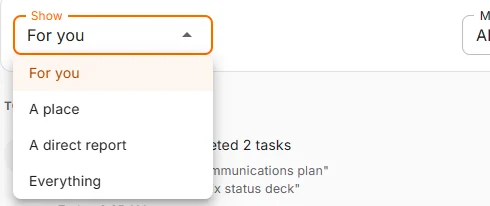
| Option | What you get |
|---|---|
| For you | The default. Your own records, anything inside a project, program or portfolio you're on, and anything you did yourself. |
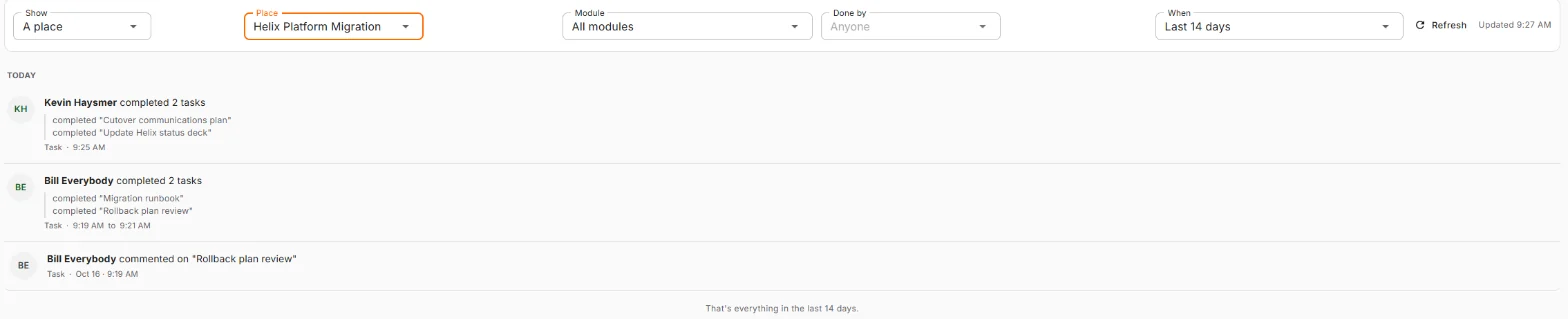
| A place | One project, program or portfolio and everything inside it. A Place box appears so you can pick which one. Offered if you're on at least one. |
| A direct report | One person who reports to you, and the work they're part of. A Who box appears, showing each person's name and email. Offered if somebody reports to you. |
| Everything | Everything in the workspace that you're allowed to see. |
Here's A place pointed at one project. The feed is now that project's story, and nothing else:
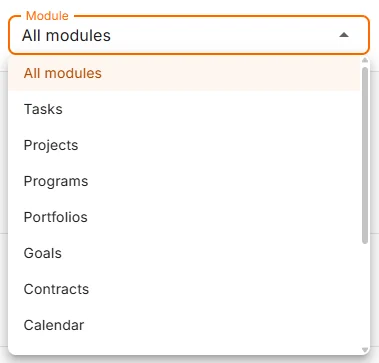
Module: which part of Nexus?
All modules by default. Pick one to see only that kind of work: Tasks, Projects, Programs, Portfolios, Goals, Contracts, Calendar, Notes, Smart Lists, Resources, Client accounts or Growth.
Things that live inside something else are filed under their parent, because that's where you'd go looking. A risk on a project shows up under Projects. An opportunity shows up under Client accounts. Stock received or counted shows up under Resources.
Growth is personal. Everyone has the filter, and for most people it's empty. More on that under Who can see what.
Done by: who did it?
Start typing a name or email and pick the person. Leave it on Anyone to see everybody.
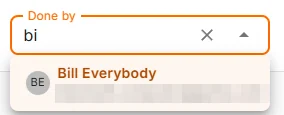
This is who did the thing, not who it was about. Filter to a colleague and you see what they did, not what was done to their stuff. Each person shows their email under their name, so two people called Alex don't become one Alex.
When: how far back?
Last 24 hours, Last 7 days, Last 14 days (the default), Last 30 days or Last 90 days.
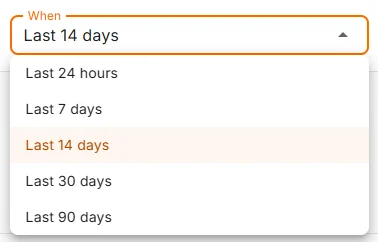
Ninety days is the limit, because activity is kept for ninety days and then cleared out. There's no "all time" option, since there's no all time to show. Think of it as a very organized goldfish.
Clear filters, Refresh and the time
- Clear filters appears once you've changed Module, Done by or When, and puts those three back to their defaults. It leaves Show alone on purpose: that's a choice about what you're looking at, not a filter you forgot about.
- Refresh reloads the feed. The page doesn't update itself while you read. That's deliberate. Nobody likes the line they're reading jumping away from them.
- Updated 9:25 AM tells you how fresh the page is.
Reading the feed
Days
Rows sit under day headings. Today and yesterday get names. Older days get dates, and anything more than a year back includes the year.
A single row
Each row is one thing that happened:
- The circle on the left has the initials of whoever did it.
- The sentence says who, what, and to which record.
- Underneath: the kind of record and when, in your own time zone.
Click anywhere on the row to open the record.
Grouped runs
When someone does the same kind of thing several times in a row on the same day, the feed bundles it into one block, so one productive afternoon doesn't bury everyone else.

The bold line counts the records involved, not the lines. Up to three detail lines show, then and N more. Each detail line is its own link. When the whole run is about one record, there's nothing to count, so the bold line just names it.
Things in the recycle bin
A row about something that has since been deleted still shows up, marked In the recycle bin. It isn't a link, because there's no page to open. Restore it from the recycle bin and its rows become clickable again.
New since your last visit
The New since your last visit line sits above the first row that arrived after you last opened the page.
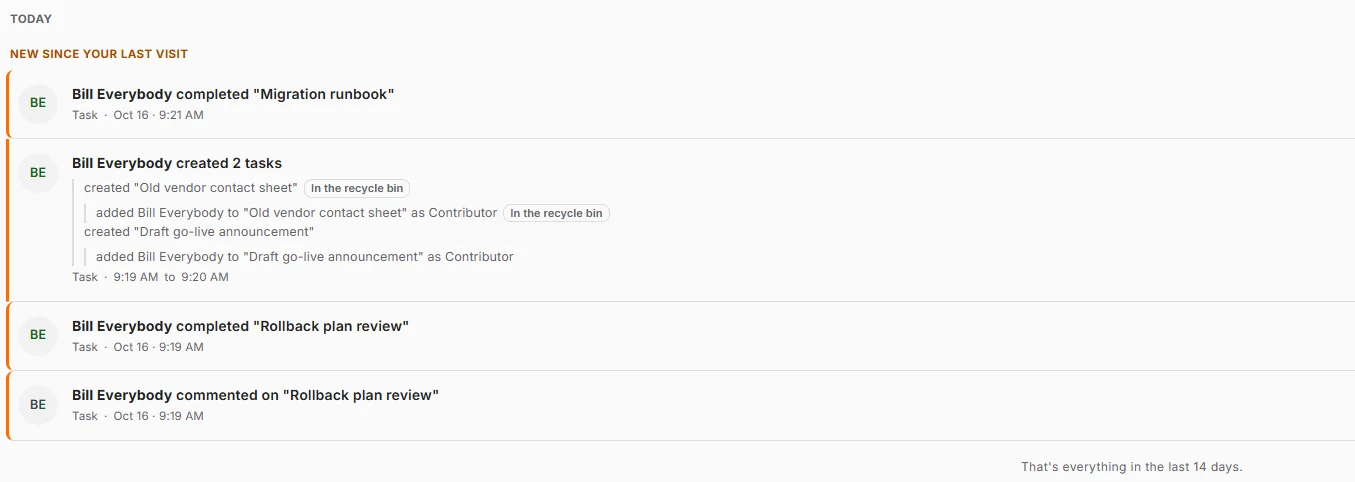
Opening Activity marks everything as seen, so next time the line moves down. The Recent Activity widget on Home shows unread rows in bold but never marks them seen, so a quick glance at Home won't cost you your place.
The end of the feed
Load more brings in the next batch. When there's nothing left, the feed says so instead of just stopping:
- Most ranges: "That's everything in the last 14 days."
- At Last 90 days: "That's everything. Activity before 18 July is not kept." The date is the real ninety-day line, and it moves with the calendar.
When the feed is empty
An empty feed tells you why it's empty, and usually offers the one button that helps.

| What it says | What it means |
|---|---|
| Nothing for you in the last 14 days | Nothing happened on your work in that window. Look back 90 days is offered, or try Show: Everything. |
| Nothing in Helix Platform Migration in the last 14 days | That place was quiet. Look back 90 days is offered. |
| Nothing for Alex in the last 14 days | Your direct report was quiet in that window. |
| Nothing in Goals in the last 14 days | That part of Nexus does record activity. There just wasn't any in this range. |
| No matching activity | Your filters are too narrow. Clear filters is right there. |
| No activity yet | The workspace truly has no activity. New workspaces, this is you. |
Recent Activity on Home
The Recent Activity widget you can add to Home is this same feed, shortened. It shows the latest rows from For you, which is also where this page opens, so a row you see on Home is still there when you click through. See all activity opens this page.
What gets recorded, and what doesn't
Activity records things that happened to work. It is not a keystroke logger. Nobody wants to read "Alex fixed a typo" forty times.
Recorded:
- Something created, moved to the recycle bin, or restored
- Status changes that matter: a task completed, a contract sent for signature, signed, or its signature request cancelled, an opportunity moved along
- People added to or removed from a project, program, portfolio or task
- Something shared with someone
- Comments
- Records added to or removed from a parent, like a risk added to a project
- Stock received or counted
Not recorded:
- Editing a field: renaming, rewording a description, changing a date or priority
- Autosaves while you type
- Subtasks of a task that's already shown (they appear as detail lines under the parent instead)
Who can see what
Every row is checked against your access at the moment you read it, not when it was written.
- You never see a row about something you couldn't open yourself. That includes Everything: widening the view never sneaks you in anywhere.
- If your access changes, the feed changes with it, in both directions.
- Growth rows reach only the person they're about, their management chain and an approver.
- Two people using the same filters will often see different feeds. Both are right.
Common questions
Why can't I see something I know happened? Check three things, in this order: the When range (14 days by default), the Show setting, and whether it's the kind of change the feed records at all. A renamed task is a field edit, so it never appears.
A row on Home disappeared when I clicked through. Home and this page both open in For you. If you picked a narrower view earlier, the link kept it. Set Show back to For you.
Why is Growth empty? Those rows are private to each person and their management chain. Empty means nothing there for you, not broken.
Can I see activity older than 90 days? No. It's cleared after ninety days and can't be brought back from here.
Does the page update itself? No. Press Refresh. The time on the right tells you how current you are.
Can a row become a notification? No. Activity is something you go and read. Notifications come to you. They're kept apart on purpose.
I opened the page and my "new since" line moved. Opening Activity marks everything seen. Use the Recent Activity widget on Home to peek without clearing it.